


Anime Avatar: Cute OC
3.620.00 Reviews
App Specs
- Version
- 1.1.5
- Updated On
- License
- Free
- Downloads
- 500,000+
- Developer
- AthenaHotC
- Categories
- Beauty
- Platform
- Android, iOS
Screenshots
 Analysis by AppCompare
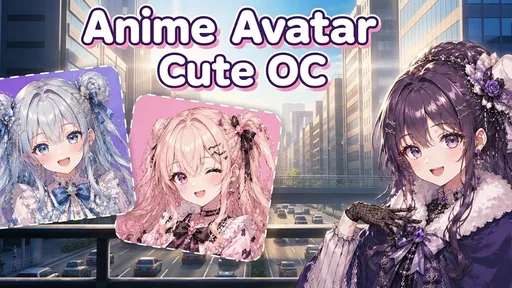
I like avatar makers most when they make one clear promise and let me get to the fun quickly. Anime Avatar: Cute OC is built around shaping an anime-style character from individual visual choices, rather than asking you to draw one from scratch. That makes it approachable if you have a character idea in mind but don’t have illustration skills, and useful even when all you want is a new profile image. The main appeal is the hands-on process: small choices in hair, eyes, clothes, and expression gradually give a simple character a recognizable mood.
A character creator, not a drawing studio
The distinction matters. I’d treat this as a customizable anime avatar maker, not as a replacement for a drawing app or a full character-design program. Its appeal is choosing and combining ready-made visual elements; the result comes from your decisions about how those pieces fit together. That lowers the barrier to making something personal, but it also means your creative range depends on the options available in the app. If your goal is to sketch an unusual pose, paint a detailed background, or control every line, a conventional art tool is the better match.
For quick character concepts, though, that constraint can be helpful. Rather than staring at an empty canvas, you can begin with a face and make decisions one at a time. I find that kind of guided process less intimidating, especially when I’m making a character for fun and don’t need a polished illustration. The useful question is not whether an avatar can do everything an artist can do; it’s whether assembling a look is the kind of creative task you want to spend time on.
Building a look one choice at a time
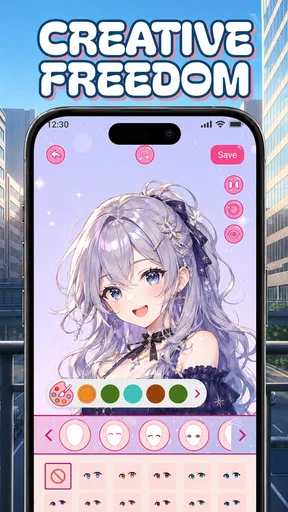
When you first launch Anime Avatar: Cute OC, it's like opening a gateway to a world where your imagination sets the limits. You start with a blank canvas, and from there, you can customize every detail of your character. Hair, eyes, outfits, accessories—you name it. The app provides a plethora of options that can be mixed and matched to create something truly special.
Customization Galore
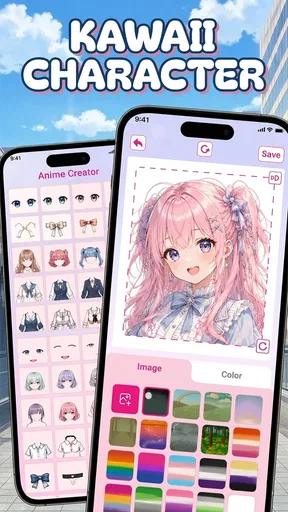
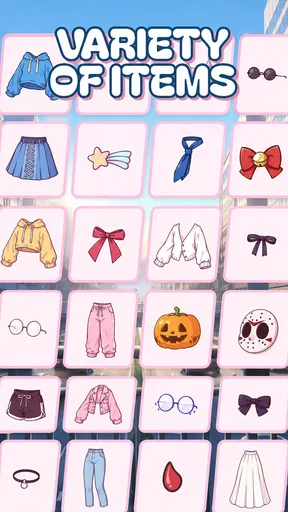
One of the standout features is the sheer amount of customization available. You can choose from a wide array of hairstyles and colors, eye shapes and colors, and even tweak facial expressions to give your avatar the perfect personality. The clothing options are also extensive, ranging from casual wear to fantasy-inspired costumes. This level of detail allows you to create an avatar that feels authentically "you," and trust me, it's incredibly satisfying.
A practical way to use those choices is to decide on the character’s mood before picking clothes. A gentle expression and softer colors can suggest a different personality from a bold expression and contrasting outfit, even if the underlying character is similar. I’d also settle on one defining feature—perhaps the hairstyle or eye color—and use the rest of the choices to support it. That gives the design a focal point and helps prevent a long session of random changes that never quite feel cohesive.
If you’re making an original character rather than a self-representation, think about where the avatar will be used. A small profile image has to read clearly at a glance, so a distinctive face and simple color combination may work better than a design that relies on tiny details. For a character reference you’re sharing with a friend, a more elaborate outfit can be worthwhile. This is a useful trade-off to keep in mind: visual variety is enjoyable, but a busy design can lose its impact when reduced to a small icon.
Worth Reading Before You Choose

Flipboard Shows What News Apps Must Do Beyond the Feed

Switching to Android Auto Means Rethinking Your Driving Routine

Google Calendar Makes a Crowded Week Easier to Manage

Ludo King Makes the Most of the Minutes Between Plans

Baby Panda World Brings Quick Play to Modern Phones, but Its Game Library Feels Busy

ESPN’s Live Game View Makes Following Close Games Easier
Intuitive User Interface
The user interface is designed to be intuitive, ensuring that even if you're not tech-savvy, you'll find it easy to navigate. The options are neatly categorized, and the drag-and-drop functionality makes the process smooth and enjoyable. I found myself spending hours tweaking little details, simply because the experience was so engrossing.
That easy, iterative approach suits a short break as well as a longer creative session. In an everyday scenario, I might open the app while choosing a new chat profile picture, make a quick character that matches the mood I want to convey, and then check whether its face still looks distinctive at a smaller size. If it doesn’t, I can simplify the combination rather than rebuilding the idea from zero. For a longer session, I’d approach it more like a design exercise: make a first pass, pause, and revisit the expression and outfit with fresh eyes.
One small workflow tip is to change one category at a time. If you switch the hair, eyes, expression, and clothes all at once, it becomes harder to tell which choice improved the design. Keeping a mental note of the version you liked before experimenting also helps you avoid drifting away from a strong starting point. The app’s appeal is in quick visual iteration; a little discipline makes that flexibility more useful instead of turning it into endless tweaking.
Sharing Your Masterpiece
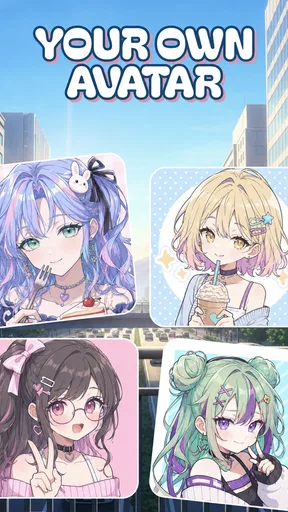
Once you’ve crafted your perfect anime avatar, the app makes it easy to share your creation with the world. Whether you want to post on social media, use it as a profile picture, or send it to a friend, the app provides straightforward options to export your avatar in high quality. It's a great way to showcase your creativity and connect with other anime enthusiasts.
Before sharing, I’d consider the context rather than assuming one design works everywhere. A bright, expressive avatar may suit a casual social profile, while a character with a quieter palette might feel more appropriate for a gaming account or creative community. If you plan to reuse the same design in several places, choosing a clear silhouette and a few recognizable colors makes it easier for people to associate the image with you. That kind of consistency is a design choice, not a requirement, and it can be more useful than adding extra decorative details.
For anyone wondering whether this is the right option beside other avatar apps, the answer depends on what you want to make. Compared with broad portrait editors, this app is more focused on anime character styling; compared with drawing software, it offers a more guided way to assemble a look, but less freedom to create from a blank page. I’d pick it when I want a cute, character-based result without learning a drawing workflow. I’d choose a general photo editor for realistic retouching, or an art app when custom poses and hand-drawn detail matter more.
Who gets the most from it
This is a natural fit for anime fans who want a personal avatar, people who enjoy inventing original characters, and anyone who likes visual customization more than drawing. It can also be a low-pressure way to explore character design: you can test how expression, hair, and clothing change the impression a character gives without needing to produce finished artwork. Younger users may find the approachable format appealing, and the app is rated for Everyone, though a parent should still make the usual choice about what is suitable for their child.
I’d skip it if you need precise illustration tools, want to reproduce a specific person realistically, or expect every character to look entirely unlike the available style and components. It is also not the best choice if your priority is a general-purpose portrait editor rather than anime-inspired character creation. Those are not failures so much as boundaries: the app is most satisfying when you want to work within its visual approach instead of fighting it.
What to expect before installing
Anime Avatar: Cute OC is a free beauty app from AthenaHotC. It was released on November 9, 2024, and version 1.1.2 runs on Android 9 or later. It has an average rating of 3.5 from around 700 ratings, with over 500,000 installs. I read that as a sign of a reasonably established audience, not a guarantee that every user will enjoy the same results. Ratings can reflect different expectations: someone looking for a quick anime avatar may be pleased, while someone hoping for a full art package may find the format limited.
A common practical question is whether it costs anything to try: the app is free. Another is whether it’s suitable for a younger user; its Everyone age rating is a helpful starting point, though families should make their own decision. The more important choice is whether the anime avatar format matches your purpose. If it does, the low-friction, pick-and-adjust style is the reason to try it. If you need detailed control over the drawing itself, you’ll likely be happier starting with a dedicated art tool.
A few tips for new users
If you're new to the app, here are a few tips that might help you get the most out of your experience:
- Experiment with different styles. Don’t be afraid to try bold colors or unique combinations. This app is all about expressing yourself, so let your imagination run wild.
- Take advantage of the layering feature. This allows you to stack different items and create depth in your avatar’s look.
- Explore the community creations for inspiration. Sometimes seeing what others have made can spark new ideas for your own avatars.
My take
In a world where digital personalization is key, Anime Avatar: Cute OC stands out as a fantastic tool for anime lovers and creative minds alike. Whether you're using it for fun, for social media, or even as a starting point for a larger creative project, this app offers everything you need to bring your anime character to life. It's more than just an app—it's a canvas for your creativity. So go ahead, download it and start creating your cute, unique OC today!
Pros
- Customizable character options.
- User-friendly interface.
- Regular updates and features.
- High-quality graphics.
- Engaging community events.
Cons
- Limited free content.
- Requires internet connection.
- Some features are paywalled.
- Occasional performance lags.
- Ads can be intrusive.
FAQs for Anime Avatar: Cute OC
What is Anime Avatar: Cute OC, and how does it work?
Anime Avatar: Cute OC is a creative app that allows users to design and customize their own anime-style avatars. With a wide range of features, including hairstyles, outfits, and accessories, users can create unique characters. The app provides a user-friendly interface, making it easy for both beginners and experienced designers to bring their anime ideas to life.
Is Anime Avatar: Cute OC free to use?
Anime Avatar: Cute OC is free to download and use, offering a variety of customization options at no cost. However, the app does include in-app purchases for additional features, exclusive accessories, and premium designs. These purchases are optional and not necessary for a complete user experience, but they enhance customization possibilities.
What platforms are compatible with Anime Avatar: Cute OC?
Anime Avatar: Cute OC is available on both Android and iOS platforms. Users can download the app from the Google Play Store or the Apple App Store. The app is designed to run smoothly on most modern smartphones and tablets, ensuring a seamless experience across devices.
Can I share my created avatars on social media?
Yes, Anime Avatar: Cute OC allows users to easily share their creations on social media platforms. Once you have designed your avatar, you can export the image and post it directly to platforms like Instagram, Facebook, or Twitter, making it simple to showcase your creativity to friends and followers.
Does Anime Avatar: Cute OC require an internet connection?
Anime Avatar: Cute OC does not require a constant internet connection for designing avatars. However, an internet connection is needed for downloading the app, accessing in-app purchases, and sharing creations online. Most features are accessible offline, making it convenient for users to design avatars anytime, anywhere.


